
WordPress Website Development for Local Governments and Municipalities
A municipal website has a harder job than almost any business site, and a much smaller budget to do it with. It has to publish council agendas before a statutory deadline, keep ten years of meeting minutes findable, survive a traffic spike during a storm warning, work for residents using a screen reader, and still let a two-person communications team update it without filing a ticket.
Most WordPress builds fail that list in the same place: they are designed around how the site looks at launch, not around how it is maintained for the next decade by people who did not build it. The theme is fine. The content model underneath it is not.
This page covers what changes when the client is a city, a county, a utility district or a public agency — what local government website development actually involves, what to require, what it costs, and where a ready-made theme stops being enough.
What a local government website has to do that a business site doesn’t
These are the requirements that reliably break a standard theme build. Use them as a checklist whether you work with us or not:
- Accessibility as a legal threshold, not a feature. In the EU, public sector bodies fall under the Web Accessibility Directive (EU) 2016/2102; in the US, Section 508 and the ADA Title II rule set expectations around WCAG 2.2. The practical consequence is that colour contrast, keyboard navigation, focus states, form labels and document accessibility are not polish — they are pass/fail. Ask any vendor how they test, not whether they comply.
- Document publishing at volume. Agendas, minutes, budgets, tenders, planning notices. These need a real content type with dates, categories and search — not a page with a pile of PDF links that becomes unmaintainable by year three.
- A department structure that survives reorganisation. Departments merge and split. If the URL structure is hand-built, every reorganisation becomes a redirect project.
- Multilingual as a service obligation. Many municipalities must serve residents in more than one language. Retrofitting translation onto a finished site costs several times what building with it costs.
- Emergency and notice publishing. Someone needs to put a service disruption at the top of the homepage in two minutes, from a phone, without a developer.
- A ten-year maintenance horizon. The staff who launch the site will not be the staff who run it. Anything clever and undocumented is a liability.
Nothing on that list is exotic. All of it is routinely missed, because it does not show up in a demo.
Two routes: adapt a government theme, or build to spec
There are two honest paths, and the right one depends on how much of the list above is genuinely binding for you.
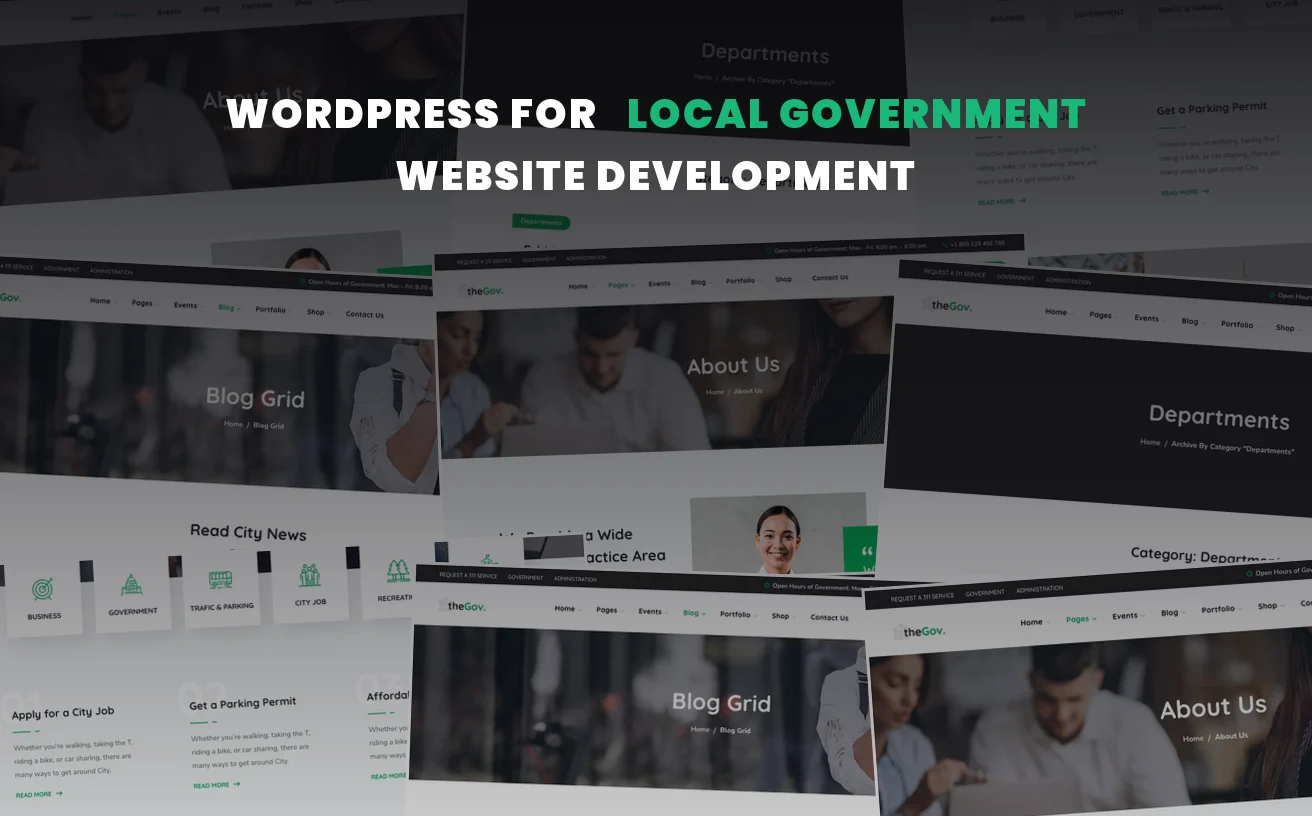
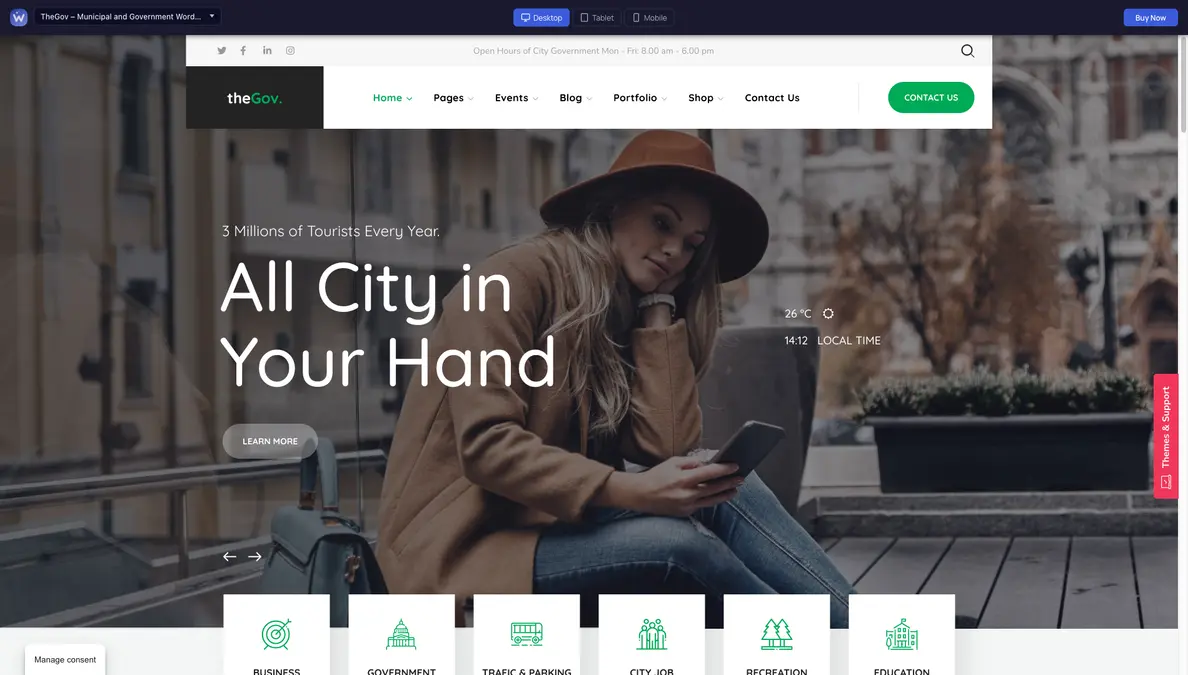
Route one — start from a government theme. If you need a clear, modern public-facing site with departments, services, news and notices, a purpose-built theme gets you most of the way and leaves budget for the parts that matter. TheGov is our municipal and government theme, built on Elementor so a non-technical communications officer can edit pages directly. We also compared it against the main alternatives in our roundup of the best government WordPress themes, which is the better page to read if you are still choosing.
Route two — build to specification. If you have a formal accessibility requirement with testing attached, an existing records system to integrate with, a migration of thousands of legacy documents, or single sign-on for staff, a theme is a starting point rather than an answer. That work is scoped individually.
The mistake we see most often is choosing route two for reasons that route one already covers — paying for custom development to rebuild a department listing that a theme ships with. The second mistake is choosing route one when there is a binding accessibility audit coming, and discovering the gap after launch.
What WebGeniusLab actually does here
We are a WordPress theme studio that has been building and supporting Elementor and WPBakery themes since 2013, for more than 36,000 customers across every niche in our catalogue. Our customization and development service covers the span from a theme install to a fully custom build, with published prices for the standard work and quotes for anything beyond it.
For a public sector project that usually means some combination of:
- Installing and configuring a government theme against your real content model, not the demo’s
- Building the content types that matter — agendas, minutes, notices, tenders — so they are searchable and dated rather than attached to pages
- Branding to your identity: colours, typography, crest or seal, header and footer structure
- Setting up multilingual support (our themes ship WPML and Polylang compatibility) before content is written, not after
- Migrating existing content and setting redirects so published links keep working
- Training handover, so the people who maintain it can actually maintain it
The step-by-step process, turnaround expectations and the published price tiers are all set out in our guide to what theme customization includes — the same process applies here, so there is no point repeating it on this page.
What it costs
Standard customization packages start at $45 and run to $599 for the larger published tiers. Fuller builds — a complete ready website, or a custom development project — are quoted individually and have historically ranged into the low thousands depending on scope. A theme licence itself starts at $29.99 per site.
For budgeting purposes, the variable that moves the number most is not design. It is the number of content types and the volume of legacy material to migrate. A five-department site with a clean content inventory is a different project from a twenty-department site with fifteen years of PDFs and no metadata, even though they look similar on a wireframe.
If you need a figure for a budget submission rather than a purchase decision, say so when you send the request — a range with the assumptions written down is more useful at that stage than a precise number that changes.
FAQ
Is WordPress suitable for a local government website?
Yes, and it is widely used in the public sector precisely because it separates content editing from development — which matters when the people maintaining the site are communications staff rather than developers. The caveats are the ones that apply to any platform: accessibility has to be designed in and tested, hosting and update policy have to be owned by someone, and the content model has to be built for documents and notices rather than marketing pages.
How much does a municipal WordPress website cost?
A theme licence starts at $29.99 per site, standard customization packages run $45–$599, and full builds are quoted individually. The realistic driver of cost is the number of content types and the volume of legacy content to migrate, not the visual design.
Can you make the site accessible to WCAG or Section 508 standards?
Accessibility has to be built and then tested — no theme is “compliant” out of the box, and any vendor who says otherwise is describing a starting point as a finish line. Tell us the specific standard and whether an external audit is part of the project, and we will scope against that rather than against a general promise. If you have no audit requirement yet but expect one, say so early; it is much cheaper to build toward than to retrofit.
Can you work with our procurement process?
Send us the requirements with your request and we will tell you plainly whether we can meet them. Public sector purchasing often involves purchase orders, invoicing terms or framework agreements rather than card payment, so it is worth raising at the first email rather than at checkout.
Do we have to use your theme?
No. Our customization service is built around our own catalogue, which is where it is most cost-effective, but custom development work is scoped on its own terms. If you already have a theme or an existing site, describe what you have and what needs to change.
Bottom line
Most municipal website projects do not fail on design. They fail on the content model — documents that nobody can find, a structure that breaks at the first reorganisation, and an accessibility requirement discovered after launch. Those are all decisions made in the first week, and they are much cheaper to get right than to fix.
If you are at the budgeting stage, send the requirements and the constraints you already know about — the standard you have to meet, the content you have to migrate, how you are allowed to pay. A scoped range with written assumptions is more useful than a number, and we would rather tell you early that something is out of scope than discover it halfway through.