

Edit your WordPress site with AI. No more hunting for settings.
WGL Agent connects an AI assistant like Claude or ChatGPT to your site on a WebGeniusLab theme. Write what you want in plain words. It finds the right setting, shows what will change and makes the edit. Any edit can be undone.
The free version comes with every WebGeniusLab theme.




Demo with example values. For sites built on WebGeniusLab themes.
Built by the WebGeniusLab team
WordPress themes
Customers
Author on ThemeForest
One small change. Five places to look.
Changing one color in a premium theme often goes like this.
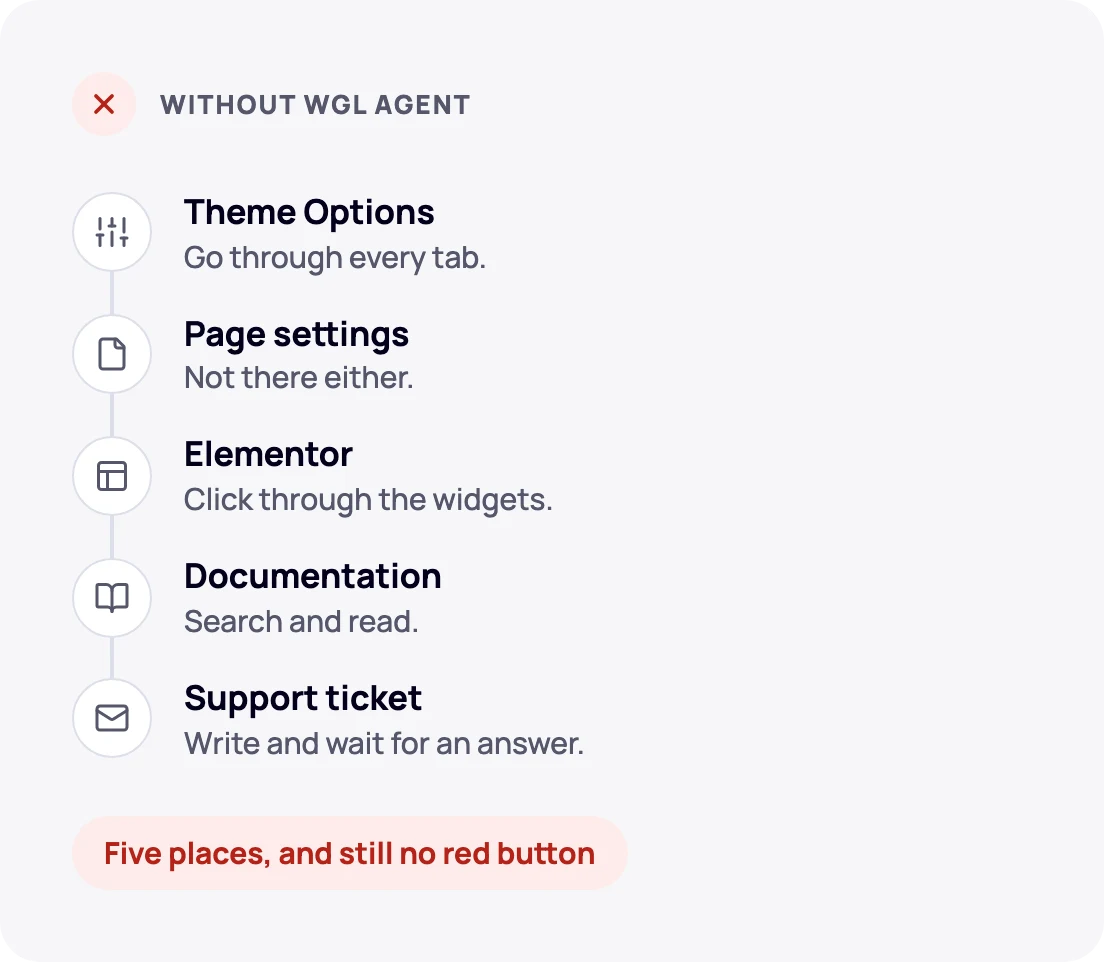
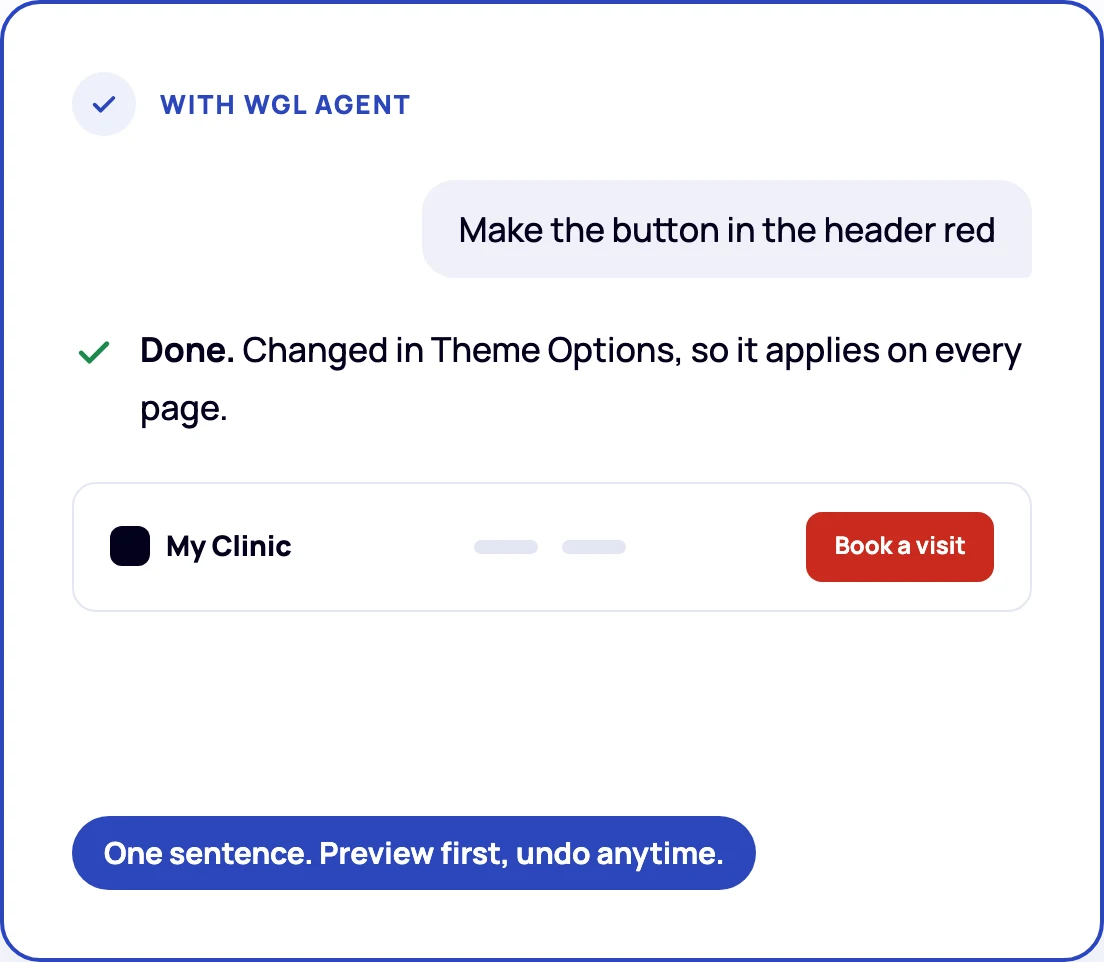
Hundreds of theme and Elementor options. One sentence from you.
You bought a theme to launch faster, not to hunt for the setting that controls one color. WGL Agent knows where every value lives.
Explains your site
Ask why a page looks the way it does and get the exact setting behind it.
Makes the edit
Pages, header, footer, Theme Options, menus and images, with a preview first.
Undo in one step
A snapshot before every write. Undo from the chat or the admin.
Checks your site
One request finds what is set up wrong and how to fix it.
Builds pages from your theme’s blocks
New draft pages assembled from your theme’s ready blocks.
Cleans up images
Finds heavy images, compresses them to WebP and removes unused ones.
Things you can ask
“Why is there no page title on the home page?”
“Add a Blog item to the main menu after Services”
“Build a Pricing page: hero, three plans, FAQ, contact form”
“Check my site: what is set up wrong?”
“Put it back the way it was”
Point at the problem instead of describing it
On any page of your site press Annotate for AI, select the spot, write what to do and press Send to AI. Then tell your assistant to look at the annotation: it gets a screenshot with your marks and knows exactly which element it is.
- Three tools: pick an element, draw a box or sketch freehand
- Knows whether the element lives on this page or in a shared header template, so you know if a change affects one page or all of them
See which images slow your site down, and fix them on the spot
Hover any image, backgrounds included, to see its real size, weight, format and how many times larger it is than needed. Click to replace it and preview the result on the page before saving.
- New image by upload, drag and drop, paste, media library or URL
- Crop to the shape used on the page, set WebP quality and alt text
- Apply to save, Undo to roll back. Works without AI too
Connected in three steps
No code to write. The plugin creates the connection and shows a ready instruction for your AI tool. Each site connects separately and shows up under its own name.
Create a connection
In your WordPress admin open Tools → WGL Agent, choose your AI tool and access level, and click Create connection.
Download one file
For Claude Desktop it is a single file. Nothing else to install or set up.
Double-click and press Install
Open a new chat and start asking about your site.
What you need
You stay in control of your site
Giving an assistant access to a live site is a serious step. WGL Agent is built so that nothing happens without your say.
It never installs or updates plugins, never runs a demo import, never touches wp-config.php and never reveals your license code.
Write access is opt-in per connection.
Undo from the chat or the admin.
Free with your theme. Pro when you want the assistant to edit.
Free
- Read-only connection
- Explains where any color, spacing or font comes from
- Image size, weight and format on hover
Pro
- Everything in Free
- Edits to theme options, Elementor pages, menus and posts
- Annotate for AI
- Image replace, crop, WebP and bulk optimization
- One-step undo for every change
You also need an AI app on your computer, such as Claude or ChatGPT. It is a separate product.
Questions before you start
WGL Agent explains and edits a site built on a WebGeniusLab theme, and can assemble new pages from your theme’s ready blocks. It does not build a whole site from a single phrase.
Need something bigger than a setting or a block? Our customization team can take it on.
Site owners on a WebGeniusLab theme who want to change their site without learning where every option lives. Freelancers and agencies who look after several client sites: each site connects separately and shows up in your AI app under its own name. Teams tired of “where do I change…” questions.
WebGeniusLab themes built on Elementor. The plugin gives the assistant a live map of your site: its widgets, Theme Options, page fields and templates.
Claude Desktop, Claude Code, the ChatGPT desktop app (Codex), Cursor and VS Code with Copilot agent mode. Any other MCP client can connect by address.
WGL Agent uses MCP Adapter. Elementor already includes it; if it is missing, WGL Agent installs it from wordpress.org with one button.
WordPress 6.9 or newer, PHP 8.0 or newer, HTTPS and WordPress application passwords. The plugin page checks all of this and tells you what to fix.
WGL Agent is in beta. Try it on a staging or demo site first.
Any paid plan works, for example Claude Pro or ChatGPT Plus. A free plan may be enough to try it, but its usage limits run out quickly, and what free plans include changes often, so check your AI app’s plan page.
The assistant reads only what it asks for through the connection: page content, theme and Elementor settings, menus and media details. That data goes to your AI provider (for example Anthropic or OpenAI) under that app’s terms. WGL Agent never reads wp-config.php or your license code.
Pro is licensed per site: each site you connect needs its own Pro license.
Click “Start 7-day trial”. Checkout asks for a card or PayPal but charges nothing for 7 days. Right away you get an email with your licence key and a link to download WGL Agent Pro; both are also in your account at users.freemius.com.
In WordPress, go to Plugins → Add New → Upload Plugin and upload WGL Agent Pro. It replaces the free version and keeps your settings and connections. Then open Tools → WGL Agent, click “I have a licence key” and paste the key.
Already using the free version? Start the trial from Tools → WGL Agent instead, and WordPress offers to install Pro for you.
If you keep Pro, the yearly price is charged when the 7 days are over. You get an email reminder two days before, and you can cancel any time from your account at users.freemius.com. If you cancel, the plugin works as the free version again: the edits it already made stay, and undo keeps working.
The free version is in your theme. Pro makes the edits.
Update your WebGeniusLab theme to get WGL Agent, connect your AI assistant and ask your first question. When you want it to make changes for you, start the Pro trial.
$19 a year after the trial. Cancel anytime.